You want users to tell you what to build and vote on each other's ideas without leaving the app. There are five ways to get there. Only two of them actually vote.
By Martin Lasek · Sep 4, 2026 · 8 min read
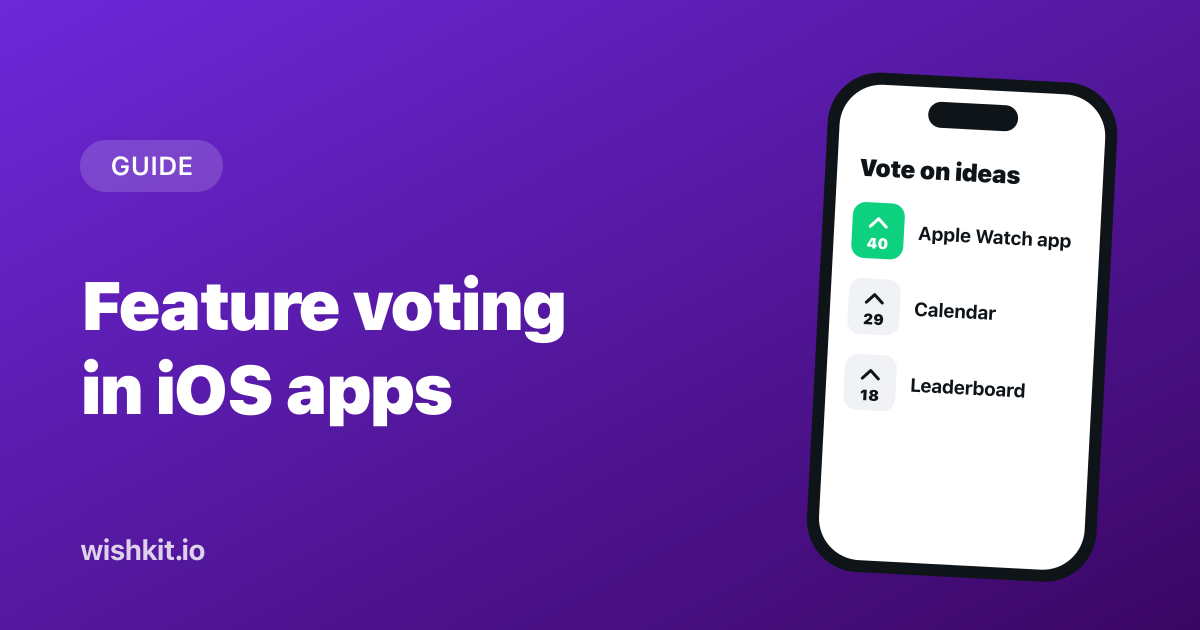
Feature voting is the difference between collecting feedback and ranking it. A form gives you a pile of requests. A board with votes gives you a list sorted by how many people want each thing, which is the list you actually build from. This post compares the five ways to get voting into an iOS app, from the free options Apple gives you to a native SDK, and is honest about which ones are voting at all.
Full disclosure: WishKit, our product, is option five. The comparison below is fair to the other four because each of them is the right answer for someone.
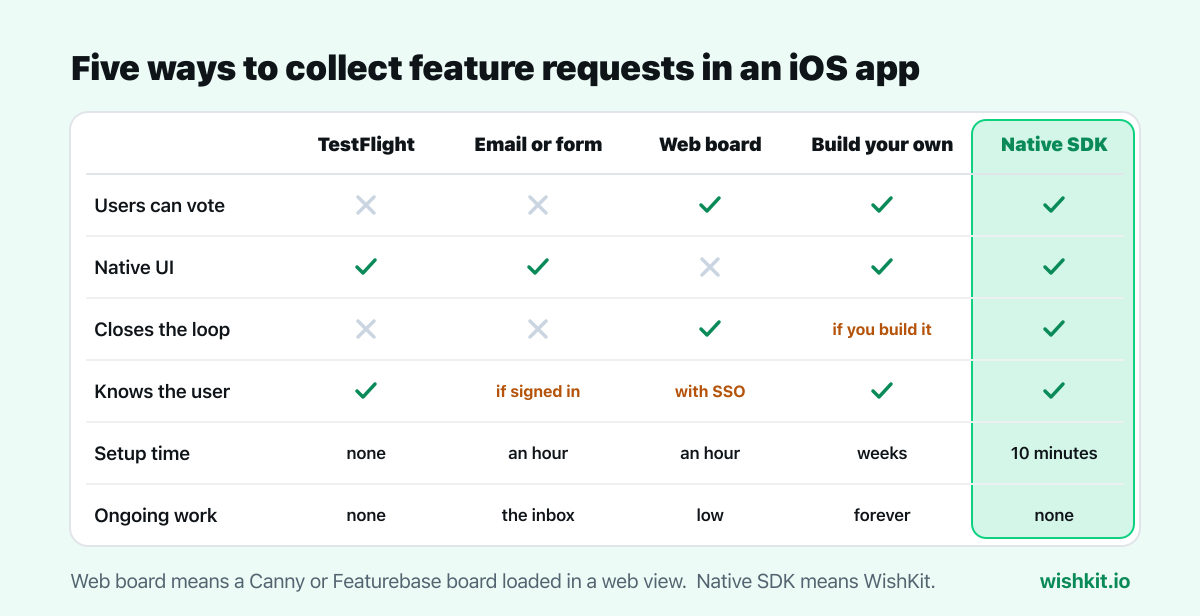
Testers on a TestFlight build can send you feedback and screenshots straight from the app, and it lands in App Store Connect. It costs nothing and takes zero setup.
A "Send feedback" row in Settings that opens a mail composer or a survey form. Every app can add this in an afternoon, and many should, because it is the lowest-friction way to let someone report a problem.
Tools like Canny and Featurebase are web products, and the usual way to get them into an iOS app is to load the board in a web view or hand the user off to Safari. You get real voting, statuses, and a mature admin dashboard. The comparison of feature voting tools covers fourteen of them with current prices.
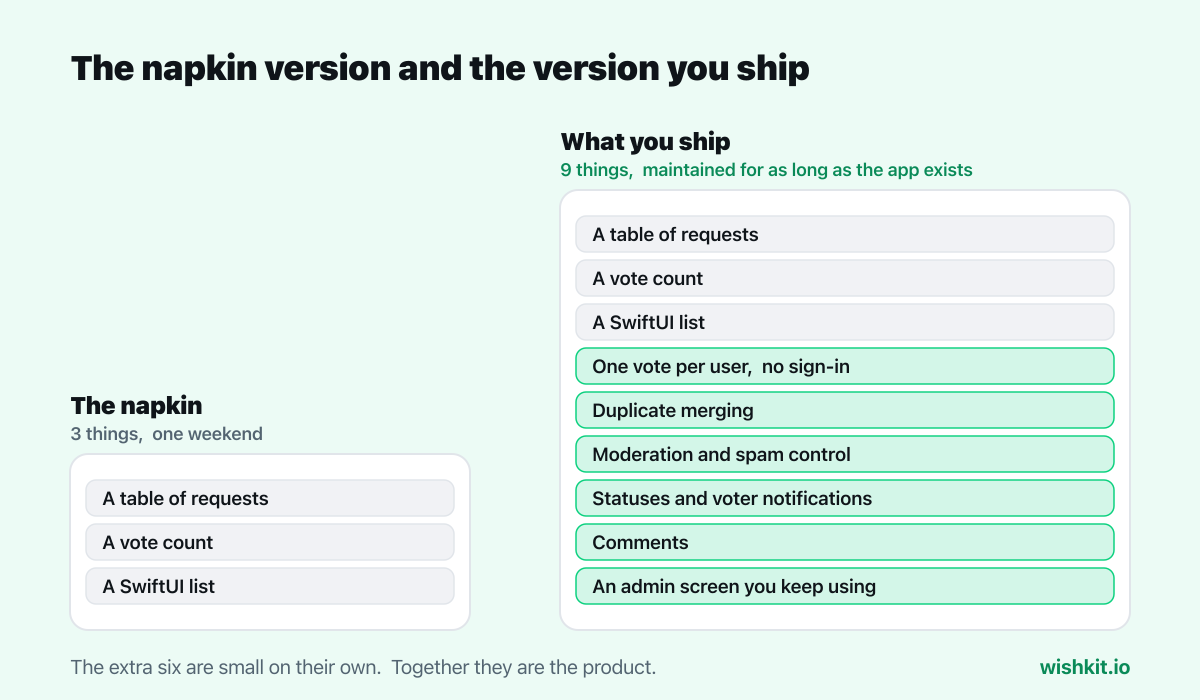
A table of requests, a vote count, a SwiftUI list, and CloudKit or a small backend behind it. Every iOS developer has sketched this on a napkin, and the napkin version takes a weekend.
WishKit is a SwiftUI SDK: add the package, call configure with your project key, and present a view. The board renders as native UI on iOS, macOS, visionOS, watchOS and tvOS, and you manage requests in a web dashboard. It is option four without the backend, plus option three's admin tooling, in native clothing.
Pre-launch: TestFlight feedback plus an email button. Free, instant, and enough while your users are a group chat.
Launched, requests starting to repeat: this is the moment for votes. A native SDK gets you there in an afternoon without a web view. A web board in a web view gets you there if you already pay for one.
App and web product with one shared board: either a web tool in a web view, or a native SDK that also has a web embed. WishKit's board can be embedded on a website with two lines of HTML, so the app and the site share one list.
Special constraints: build your own, with clear eyes about the maintenance.
Whatever you pick, put the entry point where users look for it, label it "Feedback" or "Feature Requests", and reply to the first few requests within a day. The tool matters less than users seeing that someone is on the other end. The workflow around that is in how to collect and prioritize iOS feature requests, and tools that collect bug reports, chat and surveys as well are compared in the best in-app feedback tools for iOS.
No. TestFlight lets beta testers send feedback and App Store reviews let users rate the app, but neither has voting, and neither reaches your production users as a shared list of requests.
Yes, through a web view or a link to Safari. Neither offers a native iOS SDK, so the board looks and behaves like a web page inside the app. See WishKit vs Canny and WishKit vs Featurebase for the native angle in detail.
With a native SDK, no. WishKit keeps a user's votes consistent without sign-in, and you can attach an email or ID later if your app has one. Web boards usually need a login or SSO to prevent duplicate votes.
Once requests start repeating, yes. Votes turn the same ten emails into one line with a number next to it, and that number is what tells you what to build next.
WishKit lets your users request features and vote on them, in your app or on your website, so you know what to build next.
Try WishKit for freeFree plan included, no credit card required.
