Upload from Xcode, add your team, then open the beta to up to 10,000 testers with one review and a public link. Here is every step and every limit Apple sets.
By Martin Lasek · Oct 5, 2026 · 9 min read
TestFlight is Apple's beta testing service. You upload a build to App Store Connect, invite testers, and they install it through the TestFlight app. This guide walks through TestFlight beta testing for an iOS app, from the first upload in Xcode to a public link anyone can join.
Every step and limit here comes from Apple's App Store Connect help, checked on October 5, 2026. What testers send back, and where it lands, has its own guide: TestFlight feedback.
Archive your app in Xcode and upload it to App Store Connect. Add up to 100 people from your team as internal testers, who can install it right away. For anyone else, create an external group: the first build goes through TestFlight App Review, then you invite up to 10,000 testers by email or with a public link. Each build can be tested for up to 90 days.
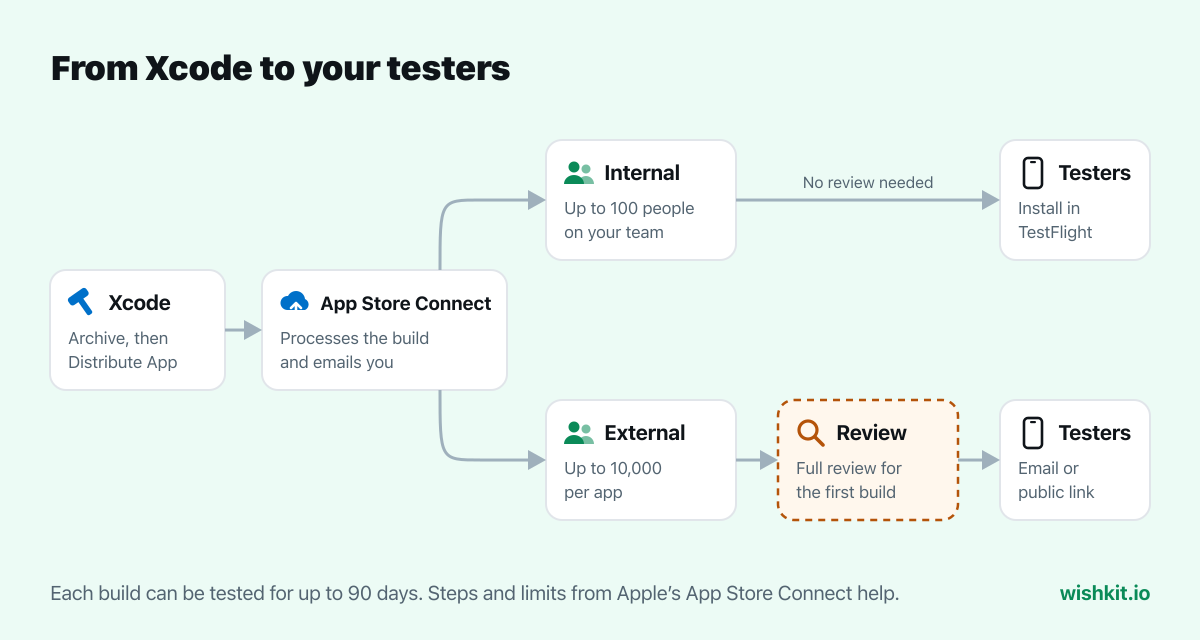
Apple has to process the build before it shows up in App Store Connect, and you get an email when that's done. Apple's upload page lists Xcode 26 or later for building iOS apps you upload. Transporter, altool and Xcode Cloud can upload builds too.
Pick TestFlight Internal Only with care. Apple's Xcode guide describes it as a way to "prevent a development build of your app from being submitted to the App Store." Such a build can only go to internal groups, never to external testers.
Internal testers are App Store Connect users on your team. You can add up to 100, and they need no review, so this is where every new build should go first.
Each tester gets an email and accepts it in the TestFlight app. Apple says "Internal testers can download and test all builds for 90 days."
External testers are everyone else: friends, customers, a mailing list, strangers from a post on X. Apple allows up to 10,000 per app, with two conditions:
Apple publishes no separate figure for TestFlight. Its App Review page gives one for all submissions, the same one behind App Store review times:
"App Review works around the clock, typically reviewing at least 50% of submissions in less than 24 hours and 90% in less than 48 hours."
Two more rules from the external testers page keep it fast after the first time:
"The first build you submit requires a full review, but later builds for the same version might not."
"You can submit up to six builds for TestFlight App Review within a 24-hour period."
Only one build of each version can be in review at a time. Admins get an email when a build is approved. A rejected build shows the reason under App Review in the sidebar.
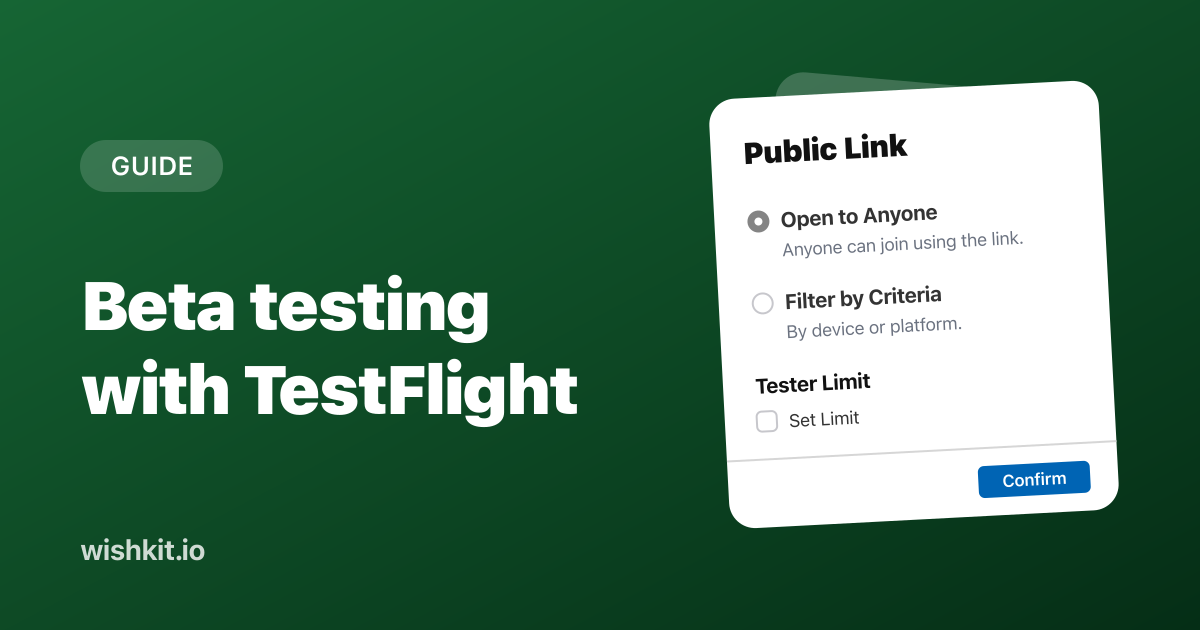
A public link is the easy way to reach many testers: one URL you can post anywhere. In the external group, open the Testers tab and click Create Public Link.
Public Link
You can make the public link open to anyone or set specific criteria for who can join.
Open to Anyone
Anyone can join using the link.
Filter by Criteria
Filter who can join by device or platform.
Tester Limit
You can set the maximum number of testers in this group that can join using the public link.
Two things to know about public links. Anyone can pass the link on, so people you never invited can join. And testers who join this way show up as anonymous: you see their installation date, sessions and crashes, but not their name or email. You can turn the link off at any time with Manage, next to Public Link.
To invite people you know, click the add button (+) next to Testers and add them by email, or import a CSV file. Email testers show up with their name and email address.
| Internal testers | External testers | |
|---|---|---|
| Who | App Store Connect users on your team | Anyone with an invite or your public link |
| How many | Up to 100 | Up to 10,000 per app |
| Review | None | TestFlight App Review, a full one for the first build |
| How they join | Email invite | Email invite or public link |
| Builds | All builds, including TestFlight Internal Only | Builds uploaded for TestFlight and the App Store |
| Names shown | Yes | For email invites. Public link testers are anonymous. |
Testers install the free TestFlight app, open your email invitation and tap View in TestFlight, or tap your public link. Then they tap Accept and Install. Apple lets each tester use your beta on up to 30 devices. When you upload a new build, testers get it through TestFlight like an update.
Apple's TestFlight overview says "You can test a build for up to 90 days." After that the build stops working for testers, so a long beta needs a fresh build at least every three months. App Store Connect warns you on the group page when a build is about to expire.
The limit runs the other way too. If you don't expire a build when testing is done, testers who were invited can keep using it even after the app is on the App Store. Expire it once the release is out.
Testers send feedback by taking a screenshot in your beta or from the TestFlight app, and it lands in App Store Connect with details about their device. The whole flow, and what TestFlight can't do with feedback, is in TestFlight feedback: where to find it.
For feature requests, a board inside the beta works better than screenshots: testers vote on each other's ideas instead of sending the same one five times. With WishKit the board ships in the beta and stays in the release, so the requests your testers posted are still there on launch day.
Apple publishes no figure for TestFlight alone. Its App Review page says at least 50% of submissions are reviewed in less than 24 hours and 90% in less than 48 hours. The first build of a version gets a full review, and later builds of the same version might not.
No. Only builds for external groups go through TestFlight App Review. Internal testers can install a build as soon as App Store Connect has processed it.
Up to 100 internal testers from your App Store Connect team, and up to 10,000 external testers per app.
Up to 90 days. Upload a new build to keep the beta running.
Yes. Choose Filter by Criteria to require a device type and OS version, and set a tester limit between 1 and 10,000.
It was most likely uploaded as TestFlight Internal Only, which can only go to internal groups. Upload the build again with the TestFlight & App Store option.
Apple's own alternatives are distributing to devices registered in your developer account, which Xcode calls Release Testing, and the Apple Developer Enterprise Program for apps used inside a company. For testers outside your team, TestFlight is the way Apple supports.
Setup takes less than a minute. Free plan included, no credit card required.
Try WishKit for free