Every new build shows Missing Compliance until you answer Apple's encryption questions. Two lines in your Info.plist answer them once, for every build after.
By Martin Lasek · Oct 8, 2026 · 4 min read
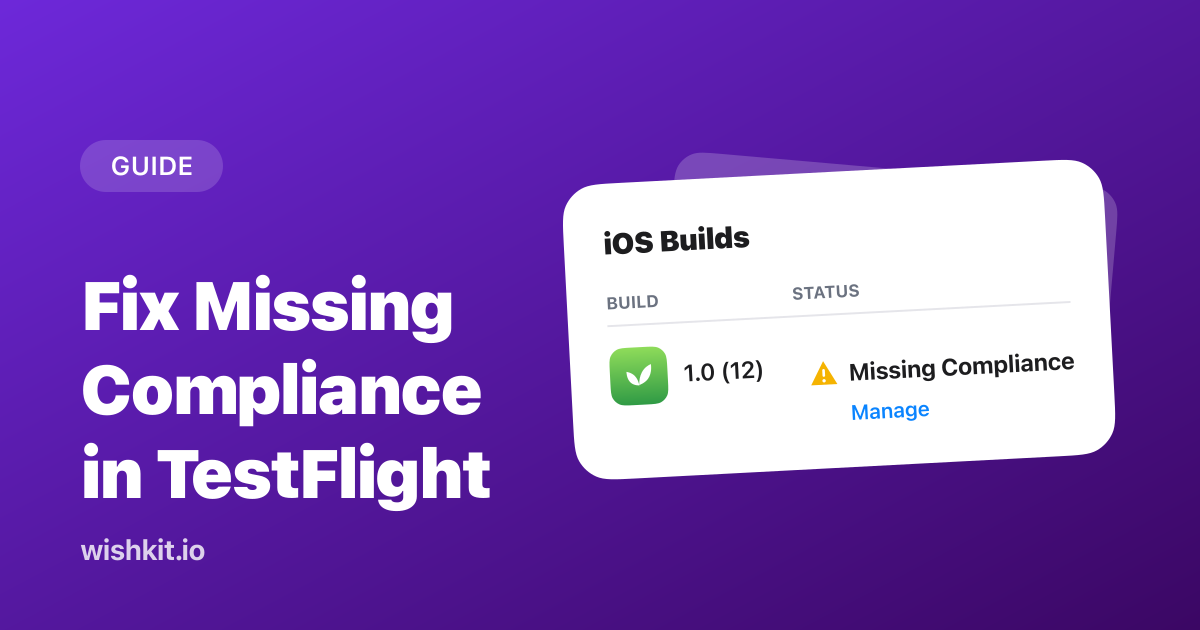
Missing Compliance means App Store Connect doesn't know yet whether your build uses encryption, which US export law asks about. To fix one build, open it in the TestFlight tab, click Manage and answer the questions. To fix it for every build, add the key ITSAppUsesNonExemptEncryption to your Info.plist: set it to NO if your app only uses encryption built into iOS, like HTTPS, and YES if it uses other encryption, which can also mean uploading documents.
"When you submit your app to TestFlight or the App Store, you upload your app to a server in the United States. If you distribute your app outside the U.S. or Canada, your app is subject to U.S. export laws, regardless of where your legal entity is based."
So every new build needs an answer. Until it has one, App Store Connect marks it Missing Compliance, which Apple's TestFlight help describes as the state you avoid by specifying "encryption use for your build".
That works, but you'll answer the same questions again with the next build.
"If you don’t have the ITSAppUsesNonExemptEncryption key in your app’s Info.plist file, App Store Connect walks you through an export compliance questionnaire every time you upload a new version of your app. Including the key streamlines the app submission process."
Add the key to your app's Info.plist, or to the Info tab of your app target in Xcode. For an app that only uses encryption built into iOS, the value is NO:
1 <key>ITSAppUsesNonExemptEncryption</key>
2 <false/>
The next build you upload carries its answer, so App Store Connect doesn't ask again. The key covers your whole app, including third-party SDKs: Apple's definition of NO is that your app, "including any third-party libraries you link against", uses no encryption or only exempt encryption.
Apple's documentation splits apps into three cases:
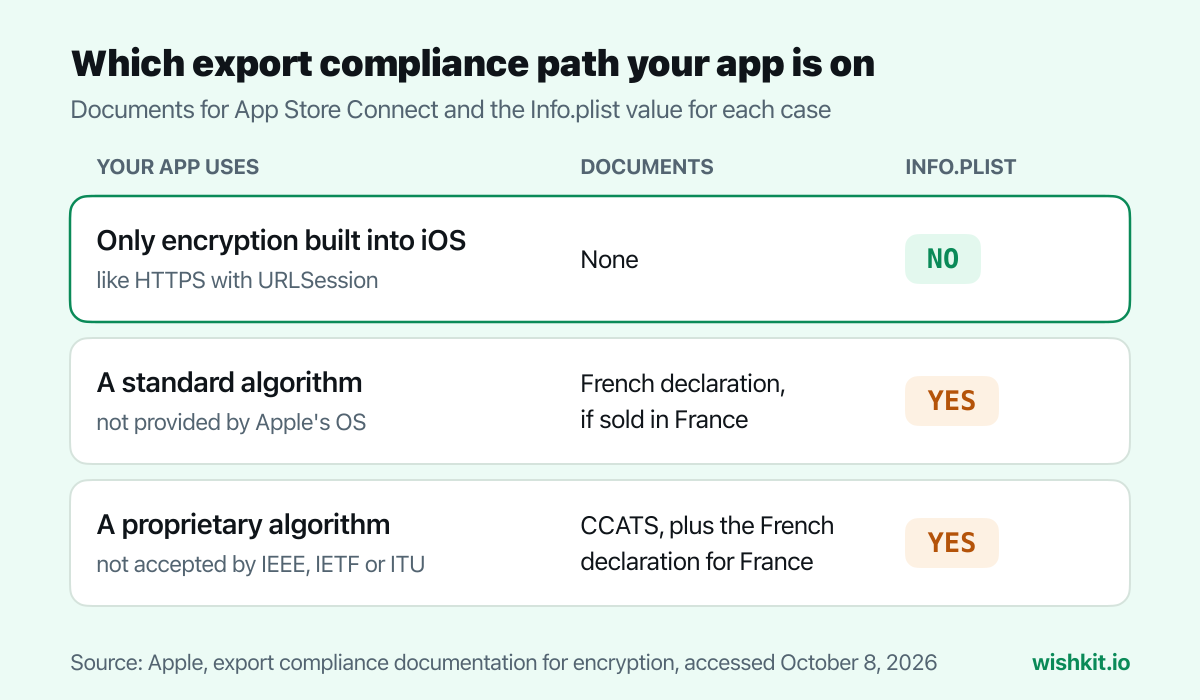
Apple gives HTTPS through URLSession as the typical example of encryption built into the operating system, which is exempt from uploading documents, while proprietary encryption is not. Two things to keep in mind:
If your app uses a standard algorithm that iOS doesn't provide, Apple asks for a French encryption declaration, and only if you distribute the app in France. Proprietary algorithms, ones not accepted by standards bodies like IEEE, IETF or ITU, also need a US classification called CCATS.
1 <key>ITSAppUsesNonExemptEncryption</key>
2 <true/>
3 <key>ITSEncryptionExportComplianceCode</key>
4 <string>the value from App Store Connect</string>
With compliance answered, the build is ready for TestFlight testing, and the key also answers the encryption questions App Store Connect asks when you submit a version for review. It's one of the small stops in publishing an app on the App Store. And once testers are in, WishKit gives them a place inside the beta to request and vote on features.
App Store Connect needs to know whether the build uses encryption, because apps uploaded to Apple's US servers fall under US export law. Until you answer, the build is marked Missing Compliance.
Click Manage next to the build in the TestFlight tab and answer the questions. To stop it for future builds, add ITSAppUsesNonExemptEncryption to your Info.plist.
It is encryption, but Apple names HTTPS through URLSession as typically exempt from uploading documents, because it's built into the operating system.
NO if your app, including its third-party libraries, uses no encryption or only exempt encryption. YES otherwise, usually together with ITSEncryptionExportComplianceCode once Apple approves your documents.
Only without the Info.plist key. With it, App Store Connect takes the answer from your build.
About two business days with complete information, according to Apple. Reviews are case by case.
Setup takes less than a minute. Free plan included, no credit card required.
Try WishKit for free