Your reviews are full of feature requests wearing a star rating as a disguise. Here is how to dig them out, count them, and give them a better home.
By Martin Lasek · Sep 4, 2026 · 7 min read
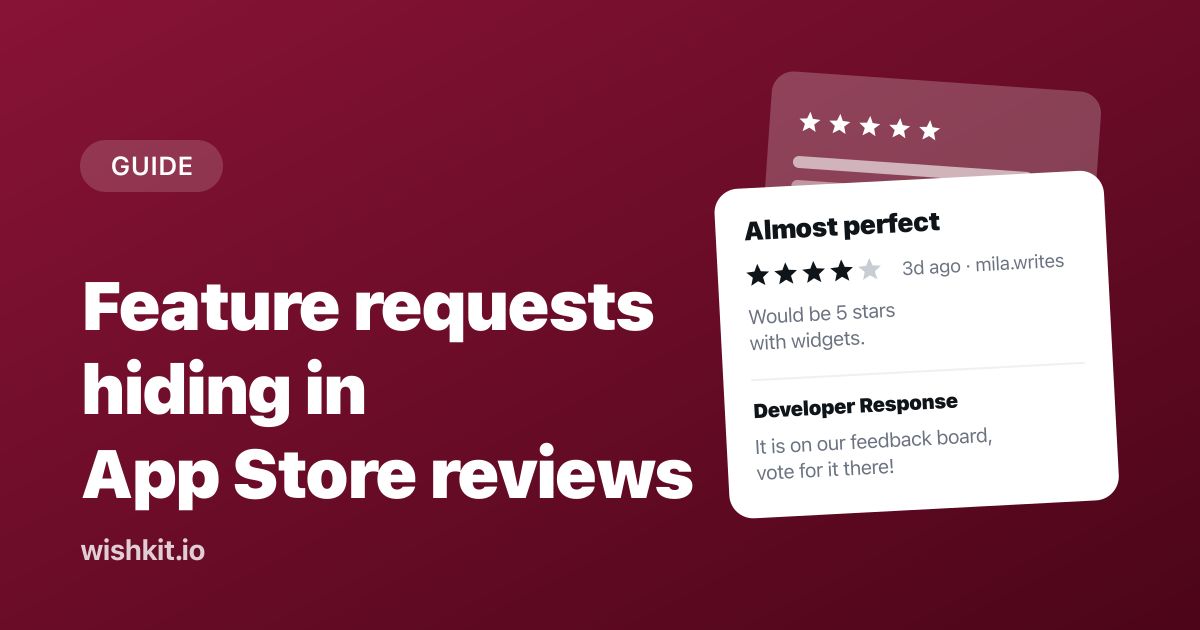
"Great app, four stars, would be five if it had widgets." You have read a hundred reviews like that. Each one is a feature request, and each one is stuck in the worst possible place for a feature request: a public rating you cannot reply to twice, cannot follow up on, and cannot let other users vote on. This guide is about getting them out of there.
Only a small fraction of your users ever write a review, so reviews are a biased sample. But they are also the most motivated sample you have. Someone who opened the App Store to tell you what is missing cares more than the average user. Treat that as a signal worth mining, not as the whole picture.
Open App Store Connect, pick the app, and go to Ratings and Reviews. You can filter by star rating, by territory, and by app version, and you can sort by most recent or most helpful. There is no full-text search, which is the first reason a spreadsheet is about to enter this story.
If you want to automate any of this, the App Store Connect API exposes customer reviews for your apps, so a small script can pull new reviews on a schedule instead of you refreshing a page. Several review monitoring services do the same thing with a nicer interface. For most apps, a weekly manual pass is enough for this exercise.
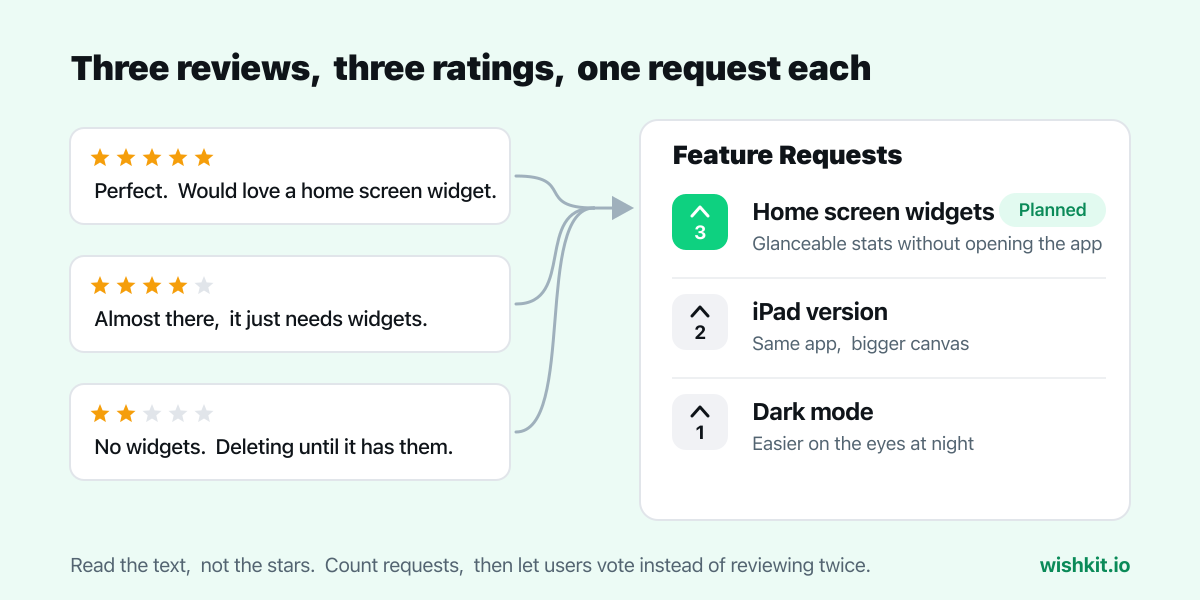
The rating is the least useful part of a review for this exercise. A two-star review that says "no iPad version, deleted" and a five-star review that says "perfect, please add an iPad version" are the same feature request. Read the text and look for the tells:
Four-star reviews are the richest seam. People who leave four stars like the app enough to describe exactly what would make it five, which is a specification written for free.
A spreadsheet with four columns does the job: the request in your own words, how many reviews mention it, the version it was first mentioned in, and the average rating of the reviews that mention it. Normalize aggressively. "Dark mode", "night theme", and "my eyes hurt at night" are one row.
After a few weeks you will have something reviews alone never give you: a ranked list. The requests that show up in ten reviews float to the top, the one-off ideas sink, and the rating column tells you which gaps are actively costing you stars. That last column is the one to show anyone who asks why a feature is worth building.
App Store Connect lets you post one public developer response per review, and you can edit it later. Use it. Thank the reviewer, confirm you heard the request, and tell them where they can follow it. Reviewers get notified when you respond, and a meaningful share of them update their review. For how to write a reply that helps and how to catch 1 star reviews within the hour, see how to reply to App Store reviews.
The "where" matters. A reply that says "great idea, we will consider it" closes the door. A reply that says "great idea, it is on our feedback board and you can vote for it here" opens one, and it moves the conversation to a place where the next user with the same idea can pile on instead of writing another review.
The spreadsheet is a private ranking. A feedback board is a public one, and it fixes every limitation reviews have. Users can post ideas without leaving the app, vote instead of repeating each other, comment with detail, and see the status change when you ship. You stop mining and start receiving.
That is what WishKit is: a feedback board that renders natively inside your iOS, macOS, visionOS, watchOS or tvOS app through a SwiftUI SDK, free to start, set up in a few minutes. Seed it with the top rows of your spreadsheet so it is not empty on day one, then reply to the next review with a link to it.
For the broader picture of collecting feedback inside an app, including what to do with support emails and posts on X, see how to collect and prioritize iOS feature requests.
When a requested feature ships, say so in the What's New notes in the exact words users used: "You asked for widgets. Here they are." Then let the app ask for a review at a happy moment, for example right after the user has used the new feature. Apple's review prompt can be shown a limited number of times per year and Apple decides whether it actually appears, so pick the moment carefully.
Reviews that start with "they actually listened" are the best marketing an app gets, and they are the natural end of a loop that began with a four-star complaint. The other replies a requester is owed, and when, are in how to close the feedback loop.
Yes, one public response per review, which you can edit later. The steps, reply examples, and how to hear about 1 star reviews within the hour are in how to reply to App Store reviews.
The App Store Connect API exposes customer reviews for your apps, so you can pull them programmatically. Review monitoring services build on the same access. There is no export button in the App Store Connect web interface itself.
No. They are public, tied to a rating, limited to one reply, and impossible to vote on, and only a small share of users ever write one. They are a good source to mine and a poor place to manage requests. Mine them, then move the requests to a board.
Apple's built-in review prompt can be requested a limited number of times per year per user, and the system decides whether to show it. Ask after a success moment, never on launch.
WishKit lets your users request features and vote on them, in your app or on your website, so you know what to build next.
Try WishKit for freeFree plan included, no credit card required.
