Every update gets one, and many apps spend it on "Bug fixes and performance improvements." Here are Apple's rules, real examples from apps that do it well, and templates you can copy.
By Martin Lasek · Oct 7, 2026 · 9 min read
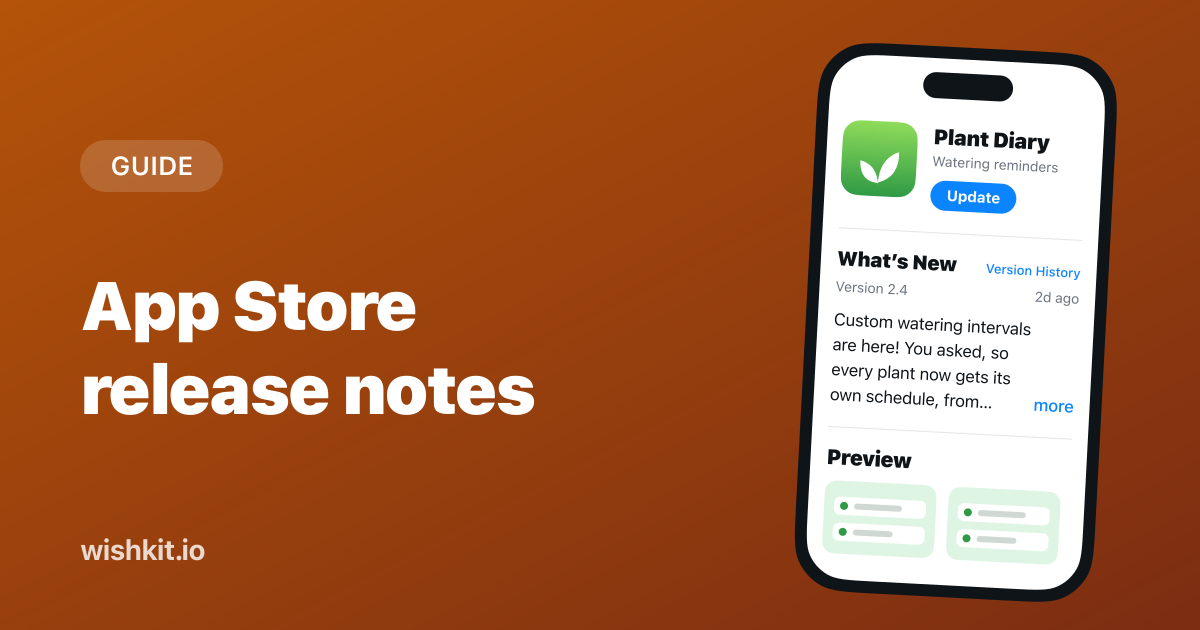
App Store release notes are the text you write in the What's New field of App Store Connect for every update. Users see it on your product page and in their list of updates. Apple gives you 4,000 characters for it, and some of the biggest apps on the store use one generic line.
This guide covers where release notes show up, Apple's rules for the field, what to write, real examples, templates to copy, and how to automate the whole thing. The graphic and the templates use a made-up app called Plant Diary.
Write What's New before you submit, because you can't change it once the version is live. Lead with the change people will notice most, name it the way users talk about it, say so when users asked for it, and keep small fixes to a line at the end. For news that can't wait for the next update, use Promotional Text, which you can change at any time.
Apple puts it in one sentence:
"When you update your app, you can use What’s New to communicate changes to users. This text appears on your product page and on the Updates tab."
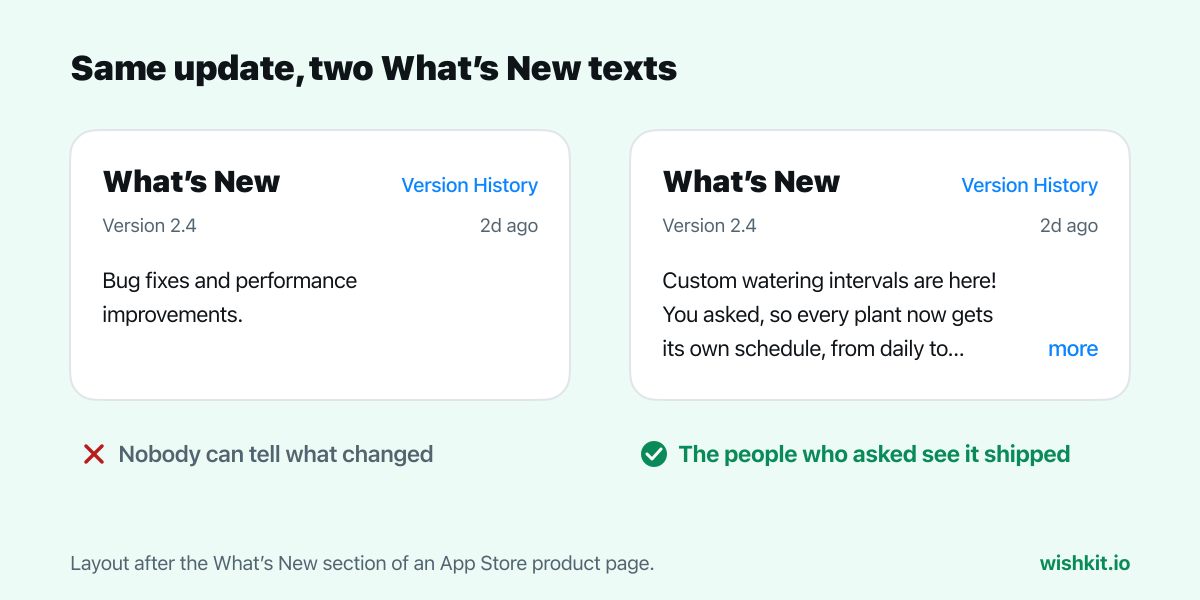
On the product page, the What's New section shows the version number, when it shipped and the first lines of your notes. Longer notes fold behind a "more" link. Next to the heading, Version History opens the notes of earlier versions, so your release notes double as a public changelog of the app.
That fold is the most important thing to know about release notes. Plenty of people never tap "more", so for them the first lines are the whole release note.
| What's New | Promotional Text | |
|---|---|---|
| Length | Up to 4,000 characters | Up to 170 characters |
| When you can change it | Only with a new version | At any time |
| Where it shows | Product page and the Updates tab | Above the description on the product page |
| Required | For every update, not for the first version | No |
Sources: Apple's platform version information, required, localizable and editable properties and the product page guide above. Three of these rules shape how you write:
Promotional Text covers what What's New can't. Apple describes it as a way to share news "without requiring an updated submission," which makes it the place for a sale, an event or a feature that launches on the server between app updates.
Apple's own advice is short and good:
"If you added a feature or fixed a bug based on feedback, use What’s New to let users know that you’ve listened to them. List new features, content, or functionality in order of importance, and add call-to-action messaging that gets users excited about the update."
In practice that comes down to six habits:
These are real What's New texts, copied from each app's App Store page on October 7, 2026. Long ones are cut where the App Store would fold them.
Everyone hated the new episode-limit strictness, so it's gone! You can now also set all limits at once in the main settings screen, and manually toggle whether specific episodes are included in or ignored by the limits you set.
The first line undoes a change users disliked and says why. Anyone who complained knows they were heard, and nobody needs to tap "more" to understand the update.
Welcome to Halide 3.2, which adds support for the new adjustable aperture on the iPhone 18 Pro. In addition to offering a fully variable aperture, we've added a new Aperture Priority mode. At last our logo has meaning!
One sentence names the feature and who it's for, the second says what you can do with it, and the joke at the end sounds like the app. Everything else in the update comes after the fold.
• Tweaked the appearance of to-dos shown by Siri on iOS 27. • Improved performance when loading lists, using Quick Find, and selecting to-dos in Apple Shortcuts. • Improved the Russian localization for a deadline that has “1 day left”. • Fixed a bug where a newly created tag could appear in an arbitrary position in the tags dialog.
A maintenance update can still be useful. Each line names the exact place in the app, so someone who saw a tag jump around knows this version fixes it.
STREAKS 11.4.2: * Improved Health task processing * Faster setup when adding Health tasks * Improvements to app launch speed * Various other fixes and refinements ---- If you have any issues, feedback or comments, please contact support@streaks.app.
The last line is the one many apps leave out. Release notes are read right after something changed, which is exactly when people have something to tell you.
Bug fixes and performance improvements.
Notion, Instagram, Medium and Spotify all shipped a one-line note like this between September 30 and October 7, 2026. Spotify's reads "We’re always making changes and improvements to Spotify. To make sure you don’t miss a thing, just keep your Updates turned on." For an app that ships every week and announces features elsewhere, that's a reasonable choice. For most apps it gives away the one place Apple reserves for explaining an update, to the people who just got it.
Three templates for the three kinds of updates. Replace the brackets, delete the lines you don't need, and keep the first line strong enough to stand alone.
[The main change, in the words your users use]. [One sentence on what it lets them do.] Also new • [Second change] • [Third change] Fixed • [A fix people noticed, named specifically] • Smaller fixes and improvements Questions or ideas? [Where to reach you]
You asked, we built it: [the request, in the words it was asked]. [How to find it or use it, in one sentence.] Thank you to everyone who asked for this one. Got an idea for the next update? Suggest it in [where your feedback screen lives].
Fixed [the problem people hit], which happened when [when it happened]. Thanks to everyone who reported it. • [Another specific fix] • Smaller fixes and improvements
Release notes reach everyone who opens the update. They don't reach the person who asked for the feature months ago and has since stopped checking. That person needs their own message, which is what closing the feedback loop is about. If the request came in through an App Store review, reply to that review once the update is live.
If you collect requests in a feedback board, both messages write themselves. With WishKit, the board inside your app shows what users asked for and how many voted, so you know which change goes in the first line and whose words to use. When the update is live:
Adding the board takes a Swift package and a few lines, shown in the SwiftUI tutorial. For the other replies a request deserves, from "got it" to "we decided against it", there are reply templates too.
Typing the same notes into App Store Connect for every language gets old. Two ways around it:
fastlane/metadata/en-US/release_notes.txt, so your release notes live in the repository next to the code they describe.appStoreVersionLocalizations resource, and What's New is its whatsNew attribute, next to promotionalText, description and keywords. A release script can set it for every language in one go.Either way, write the notes while you still remember why each change happened, which is usually the day you merge it, not the day you submit.
Up to 4,000 characters per language. Only the first few lines show before the "more" link, so put the important part there.
Not without submitting a new version. Apple doesn't list What's New among the properties you can edit at any time. Promotional Text you can change whenever you like.
No. The What's New field isn't available for the first version and is required for every update after it.
Apple doesn't say they do. Its product page guide says keywords "help determine where your app displays in search results" and that your app's name "plays a critical role in how users discover it," and it describes What's New as a way to communicate changes to users. Write release notes for people.
What's New describes one version, holds up to 4,000 characters and is fixed once that version ships. Promotional Text sits above your description, holds up to 170 characters and can change at any time without a new version.
No. What to Test is the note beta testers see for each build in TestFlight. What's New is for everyone who gets the App Store version. More on the beta side in how to beta test with TestFlight.
Setup takes less than a minute. Free plan included, no credit card required.
Try WishKit for free