A phased release sends your update to a few users first, so a bad bug reaches 1% of them instead of everyone. Here is the exact schedule, what it can't do, and what to watch while it runs.
By Martin Lasek · Oct 8, 2026 · 7 min read
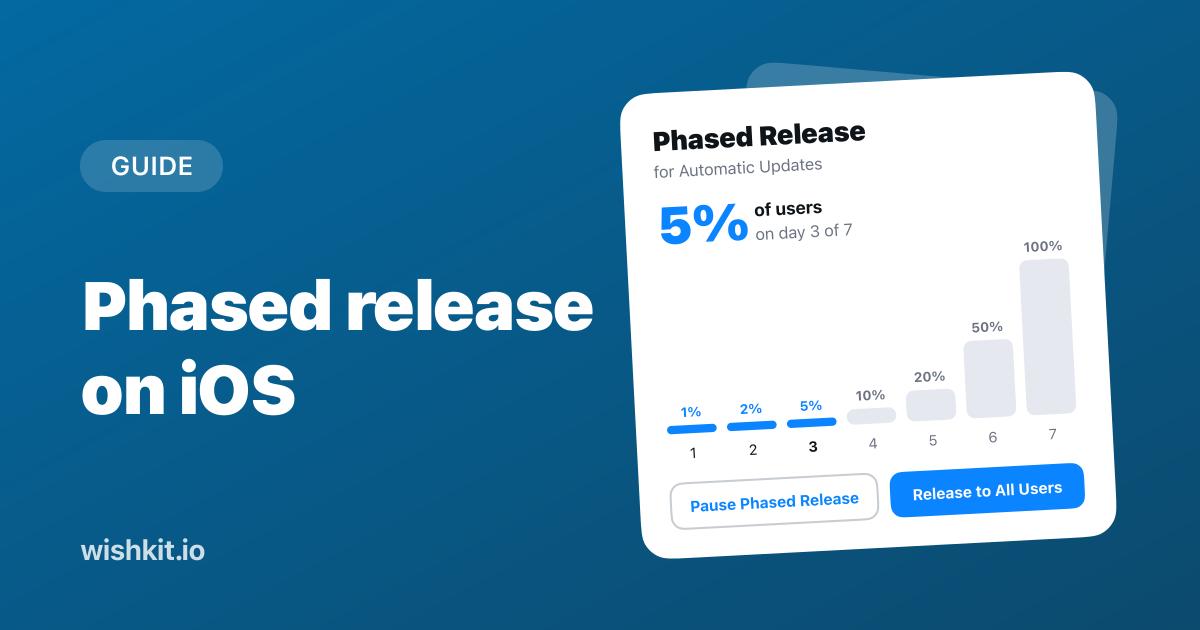
Phased release on iOS is an App Store Connect option that rolls a version update out to your users over seven days instead of all at once. If something goes wrong, you pause it while most of your users are still on the version that works.
This guide covers the exact schedule, who does and doesn't get held back, how to turn it on and pause it, what it can't do, and what to watch during the first days.
Turn on "Release update over a 7-day period using phased release" on the version page in App Store Connect before you release. Users with automatic updates then get the update in steps: 1% on day one, 2%, 5%, 10%, 20%, 50% and everyone on day seven. You can pause for up to 30 days in total, or release to everyone at any time. Anyone who updates by hand, and every new download, gets the new version right away.
Apple describes it in two sentences:
"Selecting this option will release your app's update gradually over 7 days. A random sample of users with automatic updates on eligible devices will receive the update, without any notification of their participation in the phased release."
| Day of phased release | Share of users with automatic updates |
|---|---|
| 1 | 1% |
| 2 | 2% |
| 3 | 5% |
| 4 | 10% |
| 5 | 20% |
| 6 | 50% |
| 7 | 100% |
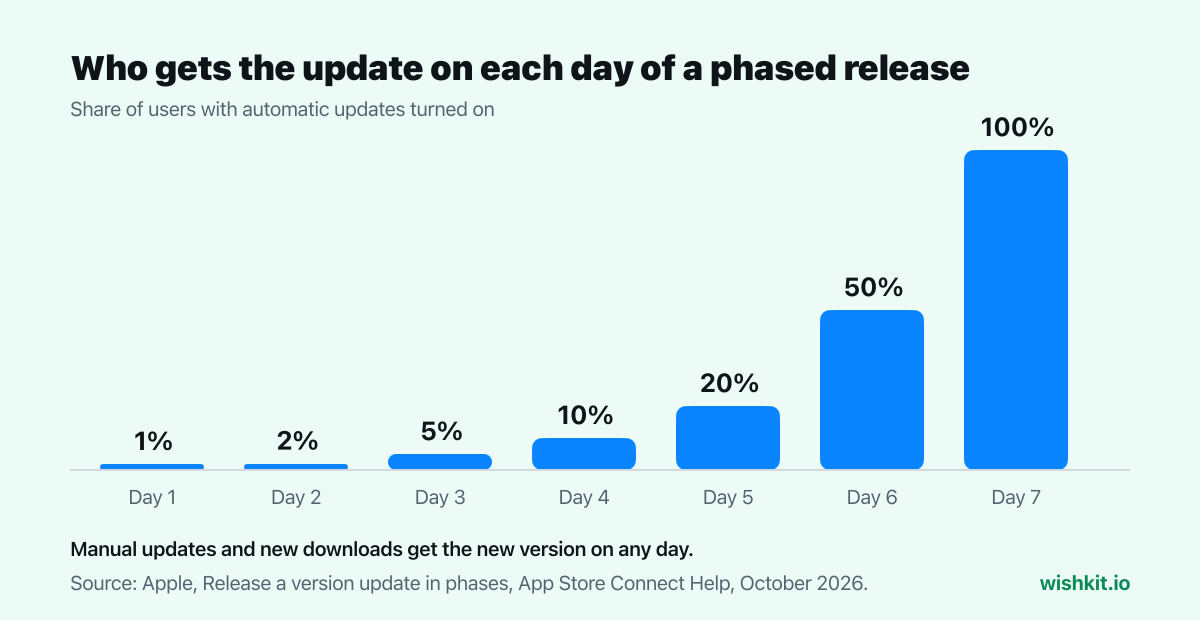
The curve is the point. The first three days together reach only 5% of your automatic updaters, and most of the rollout happens on days six and seven. So days one to three are your window to find a problem while it is still small.
A phased release only slows down automatic updates. It doesn't hide the new version:
"Keep in mind that apps and app updates in phased release can be manually downloaded from the App Store by anyone at any time."
Some users update by hand the day an update appears, so early feedback can come from them as well as from the random sample.
You need the Account Holder, Admin or App Manager role. Then, following Apple's steps:
You can set it while the version is being prepared, while it waits for or is in review, and even when it has been approved and waits for you in Pending Developer Release. Once approved and released, the status reads Ready for Distribution with "Phased Release" next to it. When day seven is done, everyone with the Admin or App Manager role on the app gets a notification.
If you release manually, the approved version waits in Pending Developer Release until you're ready, and how long App Store review takes helps you plan that day.
The 30 days are a total, not a limit per pause. Pause for ten days and you have twenty left for any later pause. And if you remove the app from sale during a rollout, including when your developer membership lapses, Apple ends the phased release for that version. When the app comes back, the version goes to everyone at once.
Without it, an update spreads fast. David Smith, the developer of Pedometer++, measured his own releases and found an immediate rollout reaching "around 80% adoption in just a couple of days." That is great for a bug fix and terrible for a bug.
He used a phased release for a change to his step counting that no amount of testing could make certain:
"It let me find a few things I needed to fix before the update got out to all my users."
Good candidates are updates that are hard to test fully or hard to take back:
Skip it for urgent fixes. A crash fix should reach everyone today, so release it normally, or click Release to All Users on a rollout that is already running.
A phased release only helps if you notice a problem in the first days. Watch three things:
That's where WishKit helps. Once you connect App Store Connect, it emails you within the hour when a 1 or 2 star review arrives, on every plan including Free, so a bad review on day two doesn't wait until you happen to open App Store Connect. With the WishKit SDK in your app, users can also write to you from the in-app chat or post on the feedback board, and you read both in one dashboard. More on the review side in how to reply to App Store reviews.
And while the rollout runs, the people who get the update read your release notes. If the update ships a requested feature, say so in the first line.
phased_release option. Set to true, "the update will be released over a 7 day period."appStoreVersionPhasedReleases resource. Its phasedReleaseState is INACTIVE, ACTIVE, PAUSED or COMPLETE, and it reports currentDayNumber, startDate and totalPauseDuration. A release script can check the day and pause the rollout when your crash rate jumps.Seven days, from 1% of users with automatic updates on day one to all of them on day seven. Pauses add to that, up to 30 days in total.
Yes. Anyone can update by hand in the App Store at any time, and new downloads always get the new version. Only automatic updates are held back.
No. You can pause it, which stops further automatic updates, but users who already have the version keep it. Fix the problem in a new version and submit that.
Up to 30 days in total, as often as you like. When you resume, the rollout continues on the day it stopped.
Yes. Apple's help page for phased release covers iOS, macOS and tvOS apps.
No. Apple picks a random sample and doesn't notify the users who are in it. The App Store Connect API tells you which day the rollout is on, through currentDayNumber.
Setup takes less than a minute. Free plan included, no credit card required.
Try WishKit for free