Your users have questions and ideas that do not fit a feature request. Give them a place to say it inside the app, before they say it in an App Store review.
By Martin Lasek · Sep 22, 2026 · 7 min read
A feedback board is great for "please add dark mode". It is a poor fit for "how do I move my data to a new phone" or "I have five ideas, can I just tell you". Those need a conversation, and if your app offers no way to have one, the user either gives up or writes it into a review.
This guide covers the three ways to add in-app chat to an iOS app, what each one costs you, and how to add a 1-on-1 chat that sits right next to your feedback board.
You can open an email draft from the app with Apple's MessageUI framework, embed a helpdesk SDK, or build chat yourself. If you already use WishKit for feature requests, chat is built into the SDK from version 5.2.0: the feedback board shows a chat button, users write to you from inside the app, and you reply from the WishKit dashboard.
MFMailComposeViewController from Apple's MessageUI framework opens a prefilled email without leaving the app. It takes an afternoon and costs nothing. The catch is everything after the send button: the user needs Mail set up on the device, your reply lands in their inbox rather than in the app, and you get no context about who they are unless you paste it into the draft yourself.
Customer support platforms ship iOS SDKs with a chat window, a shared inbox, and routing for a support team. That is the right answer when you have a support team. For a single developer or a small product team it is often a second vendor, a second SDK, and a per-seat bill, just to answer a handful of messages a week. The SDKs that offer chat on iOS are compared in the best in-app feedback tools for iOS.
A message table, an API, an inbox you can read from, unread state on both sides, and a SwiftUI screen. None of it is hard, and all of it is yours to maintain. It makes sense when chat is part of your product, and rarely when it is a side channel for feedback.
WishKit started as a feedback board: users post feature requests and vote from inside your app. Since SDK 5.2.0 the same Swift package also includes a private 1-on-1 chat. Both share one user record, so the person who voted for dark mode is the same person writing to you, with the same name and email.
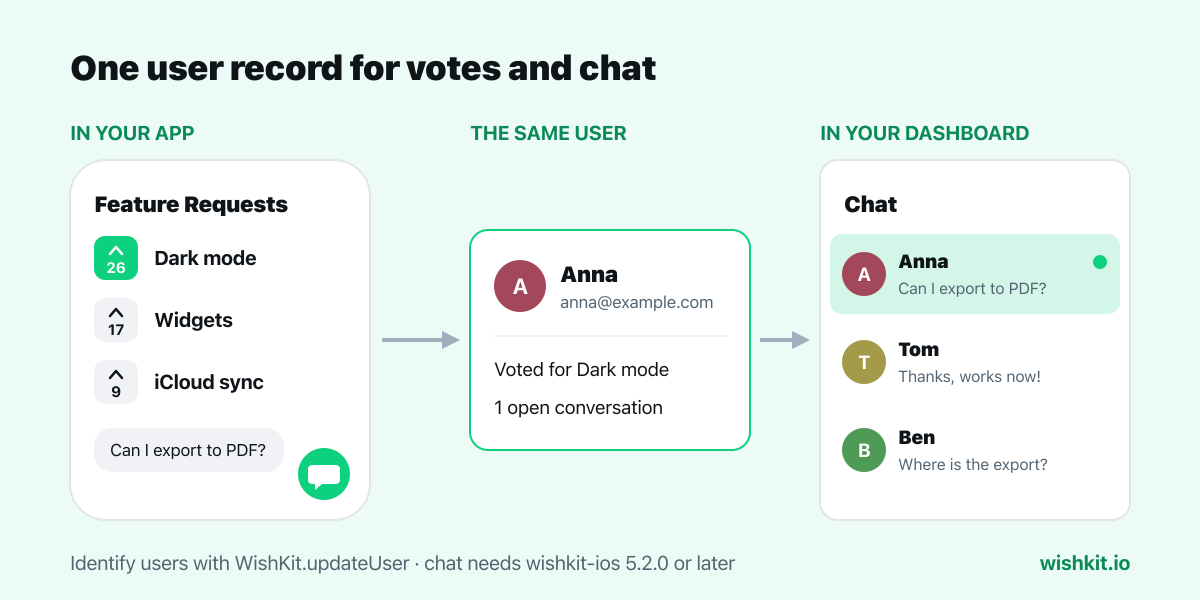
That is also why one dashboard handles both. Feature requests, chat, and App Store reviews sit in the same sidebar.
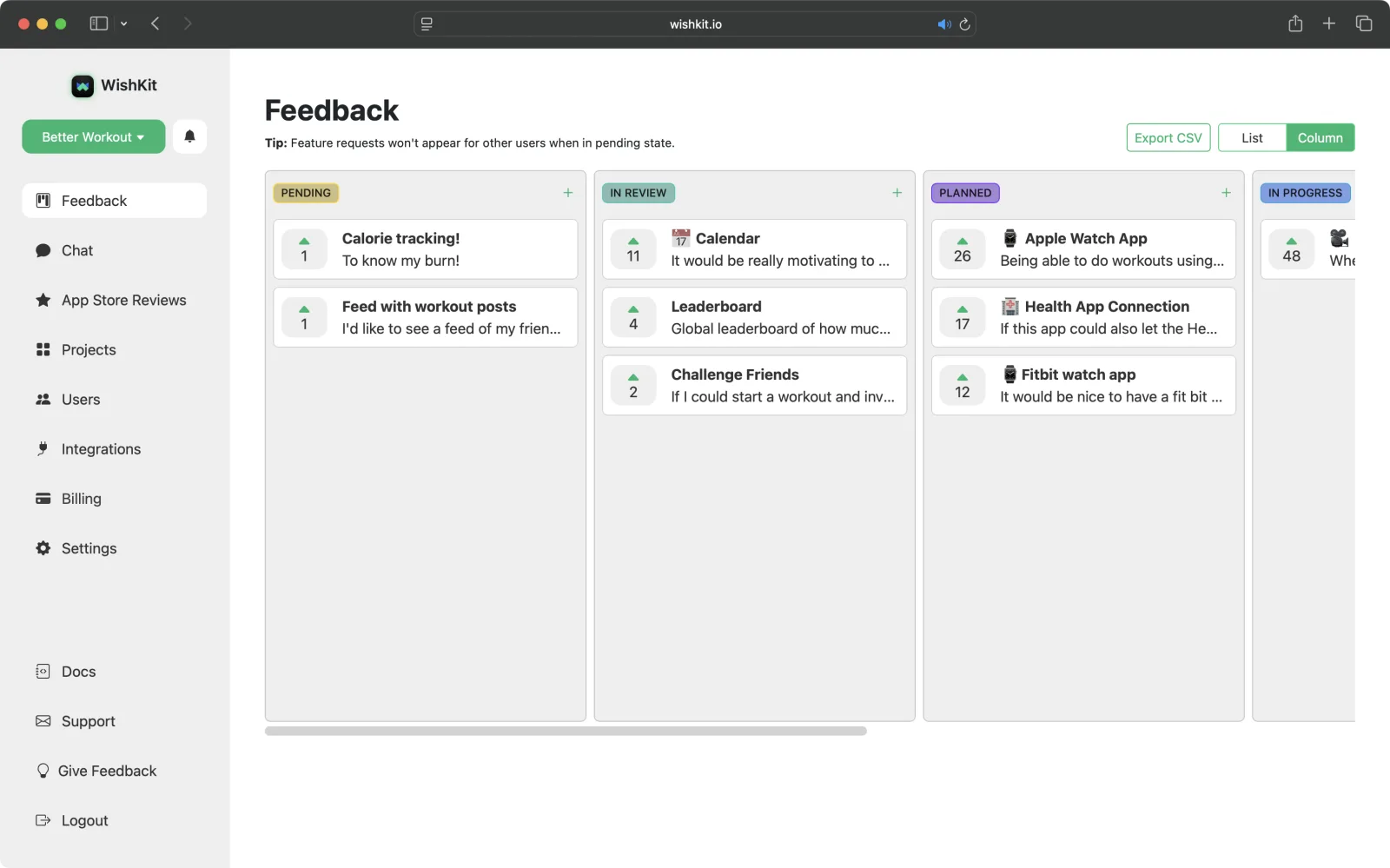
If your app shows the WishKit feedback board and uses SDK 5.2.0 or later, the board already has a floating chat button. Users tap it and write to you. If you want the chat somewhere else, for example in your settings screen, place it yourself and hide the button:
1 // Place the chat anywhere in your app with one line.
2 WishKit.ChatView()
3
4 // Hide the floating chat button in the feedback board.
5 WishKit.config.showChatButtonInFeedbackView = false
A custom entry point should show when you have replied. chatStatus() tells you, so you can put a dot on your own button:
1 let status = await WishKit.chatStatus()
2 if status.hasUnread {
3     // show a dot on your chat button
4 }
New to WishKit? The iOS docs cover adding the package and showing the board, which takes a few lines of SwiftUI.
Users are anonymous by default, and their conversation stays theirs across launches. If your app knows their name or email, pass it along, for example after sign-in, and the dashboard shows it on their conversation:
1 WishKit.updateUser(email: "jane@example.com")
2 WishKit.updateUser(name: "Jane")
If a user tells you their name in the chat instead, you can set it yourself from the dashboard with Edit.
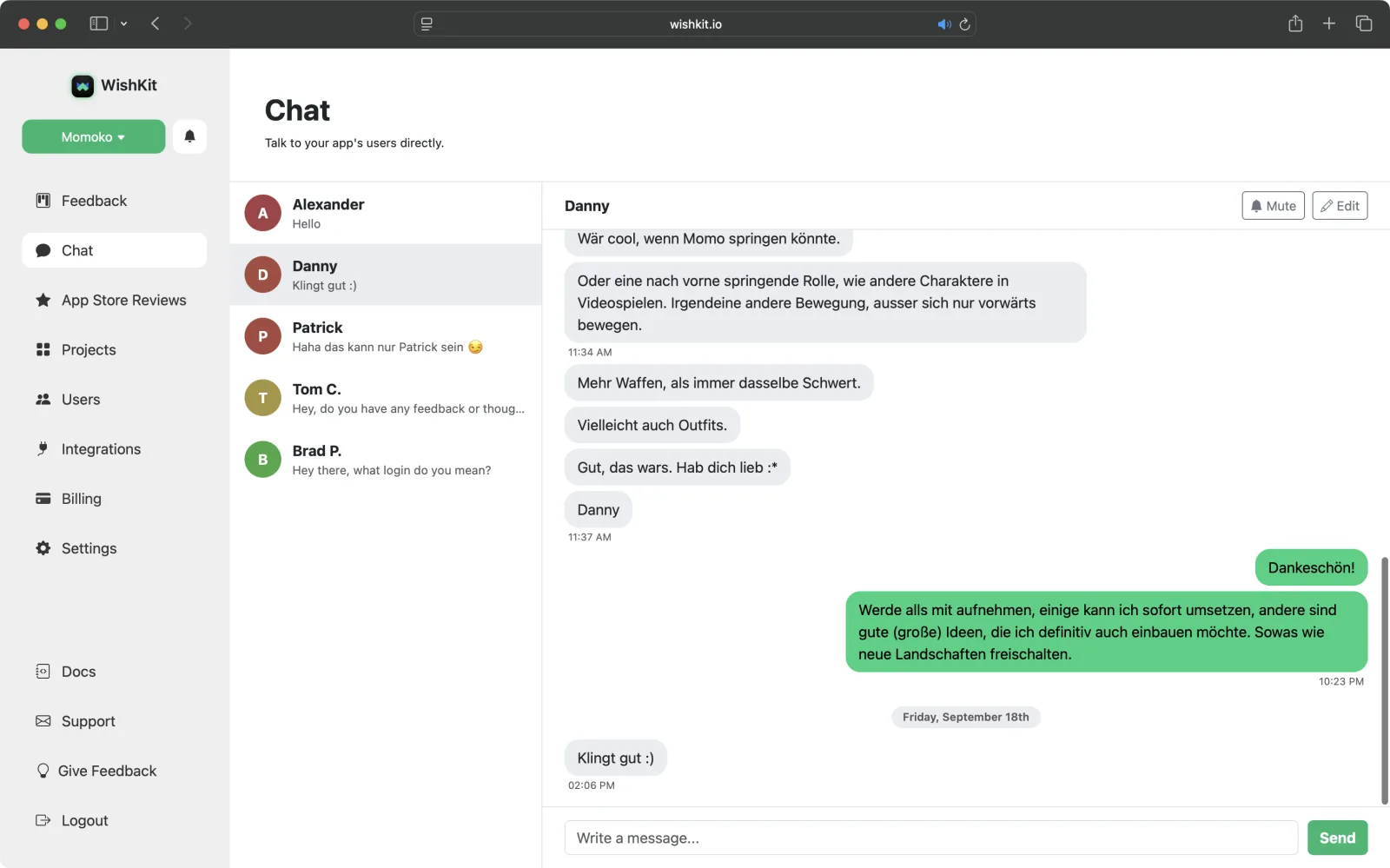
The Chat page lists every conversation, newest first, with a preview of the last message and an unread dot. Open one and reply from the box at the bottom. Messages from the same minute are grouped, and days are separated, so a long thread stays readable.
That screenshot is from my own game, Momoko IO. A player used the chat to send one idea after another: a jump, a forward roll, more weapons, outfits. Four feature requests in one conversation, which no review field would have held, and I could tell them right there that I would add them all to the list.
chatStatus() is for.Writing to you is free for your users on every plan. On the Free plan, a project's first five conversations are fully yours to read and reply to, forever. Later ones still arrive, and you see who wrote, but reading and replying needs Premium, which is $15 a month or $12.50 a month billed yearly. Premium has unlimited conversations, together with the feedback board, App Store review replies, and unlimited users on the same flat price.
Free
$0 / mo
Premium
$15 / mo
Try WishKit in your app. If a chat does turn into a public complaint anyway, here is how to reply to App Store reviews.
The quickest options are an email button with MessageUI, a helpdesk SDK, or a feedback SDK with chat built in. With WishKit 5.2.0 or later, the feedback board already includes a chat button, and WishKit.ChatView() places the chat anywhere else.
No. Users are anonymous by default. If your app has their name or email, pass it with WishKit.updateUser and it appears on the conversation in your dashboard.
They see the reply the next time they open the chat. There is no push notification. Use WishKit.chatStatus() to show an unread dot on your own chat button.
No. A conversation starts when the user writes. After that you can reply as often as you like.
Not yet. Chat is part of the iOS SDK. The web SDK shows the feedback board without chat for now.
For your users, always. For you, the first five conversations of a project are free, and Premium at $15 a month unlocks unlimited conversations.
WishKit lets your users request features and vote on them, in your app or on your website, so you know what to build next.
Try WishKit for freeFree plan included, no credit card required.
